
I remember sitting in a tiny, humid cafe in Bangkok, my heart sinking as I pulled my laptop out of my bag. I had jthrough your bag at the security checkpoint.ust finished teaching an English class, and I was excited to start working on a new blog post. When I opened the lid, I heard a sickening crunch. A small, heavy power adapter had been pressed against the screen during a bumpy bus ride from the coast. My screen was cracked. My work was stalled. And honestly? My spirit was crushed.
That was years ago, back when I was still figuring out how to balance my love for travel with the gear I needed to keep Pinverse Travel alive. I spent so much time worrying about whether I had the right visa or the right snacks that I completely neglected the “digital lifeline” in my bag. Since then, I’ve learned the hard way that protecting your tech isn’t about buying the most expensive, rugged gear. It’s about how you organize your life inside your backpack.
If you are currently staring at a pile of cords, cameras, and laptops, feeling that familiar knot of anxiety, take a breath. You don’t need to be a professional photographer or a tech expert to keep your gear safe. You just need a system. Let’s walk through the five mistakes I see travelers make all the time, and how you can fix them before you head to the airport.
1. The “Loose Cord” Chaos: Why Tangled Wires Are a Hidden Threat
The most common mistake I see is throwing all your cables—charging bricks, USB cords, and headphones—into a single, dark pocket of a backpack. We think we are just being organized by keeping them in one place, but this is a disaster waiting to happen.
When cables are loose, they tangle. When they tangle, they pull on the delicate metal tips that plug into your devices. Over time, this constant tugging destroys the internal wiring. I’ve had chargers stop working in the middle of a trip through Europe simply because the cord had been bent at an unnatural angle for too long.
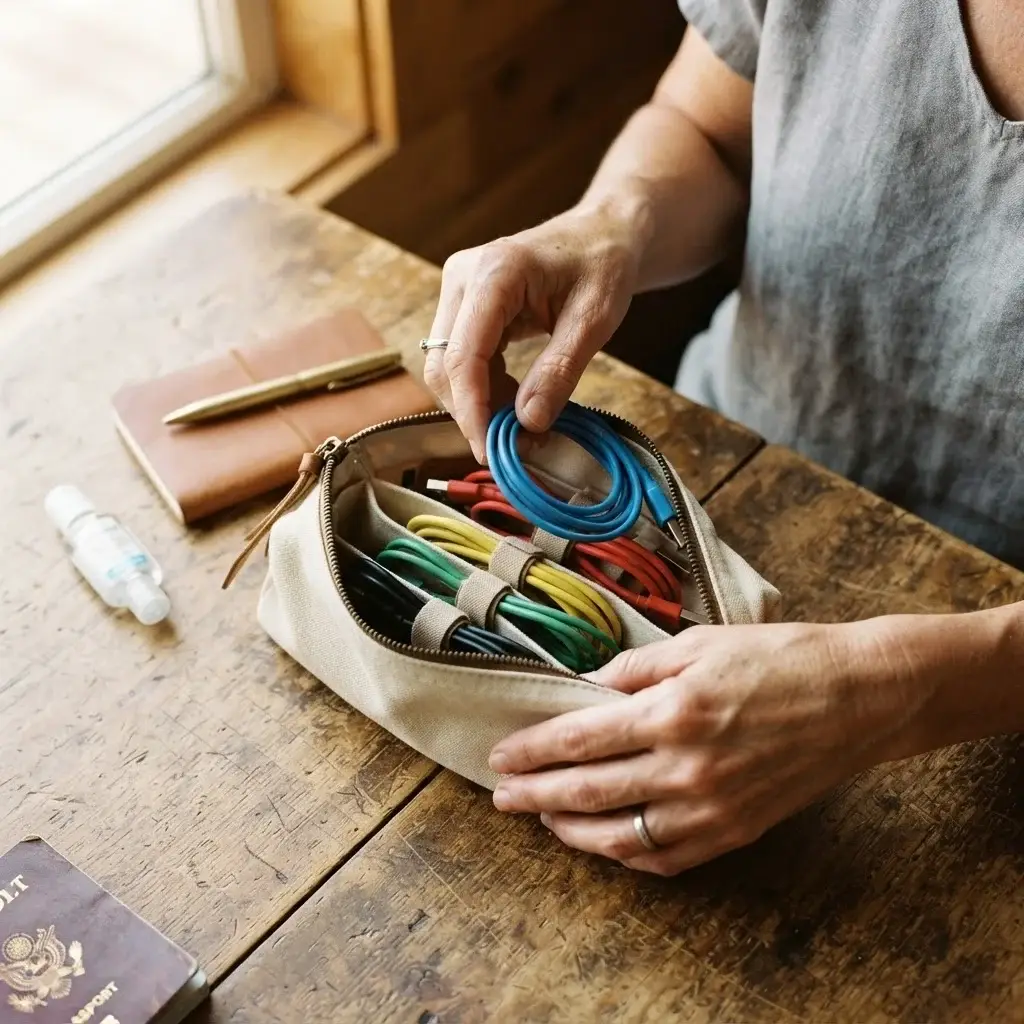
Instead of a “junk drawer” approach, use dedicated cable organizers. I prefer small, zippered pouches with elastic loops. Keep your laptop charger separate from your phone charger.
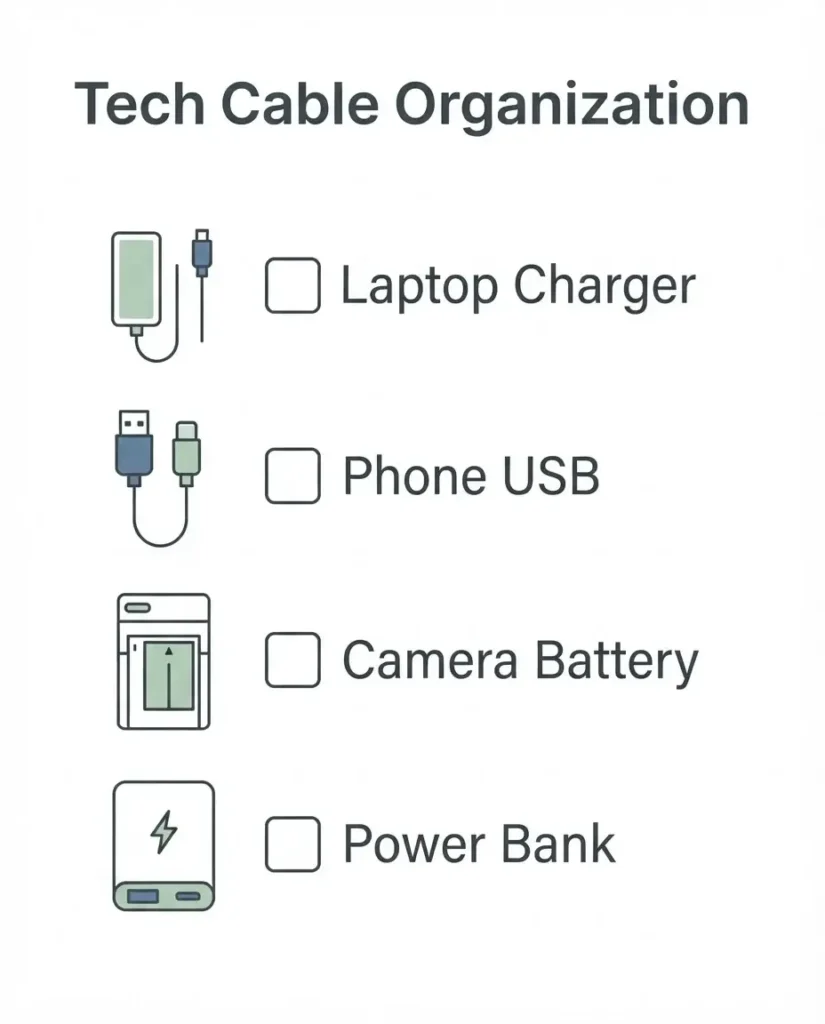
Before you go, check the official travel advisories at the US Department of State Travel to see if you need specific outlet adapters for your destination. It is far better to have a dedicated spot for your international plug than to realize you’re missing a vital piece of gear once you land in a foreign country.
I also recommend labeling your cords. It sounds silly, but when you are exhausted after a fourteen-hour flight, the last thing you want to do is guess which cord belongs to your camera and which one belongs to your phone. Use a bit of colorful tape on the ends of your cables. It saves time, it prevents frustration, and it keeps your gear organized so you aren’t digging through your bag at the security checkpoint.
2. Neglecting the “Compression Hazard”
This was my fatal flaw in Thailand. We often pack our bags to the brim. We want to fit everything into one carry-on to save money or time. We cram our clothes around our electronics to “cushion” them. The problem? Clothes provide zero structural protection. If your bag gets dropped, or if a heavy suitcase is placed on top of yours in an overhead bin, that pressure goes straight to your screen.
Think of your electronics as fragile, glass-fronted items—because that is exactly what they are. You need a dedicated, padded sleeve for your laptop or tablet. If you don’t have one, don’t just shove it between two shirts. Find a hard-shell case or a rigid divider.

When moving between cities, I often look for local transport options that allow me to keep my bag on my lap or right by my feet. If you are using ride-sharing apps, it helps to understand the local systems first. For example, learning how Grab works for travelers can give you a better idea of what kind of vehicle you will be stepping into, which helps you plan how to protect your bag during the transit itself. Always treat your electronics like they are the most fragile thing you own, because if they break, the “perfect moment” you are trying to capture might just slip away.
3. Ignoring Battery Health and Temperature Control
Did you know that lithium-ion batteries are surprisingly sensitive to their environment? A major mistake travelers make is leaving their tech in a hot car, a sun-baked hotel room, or a freezing cargo hold. Heat is the enemy of battery life.
When I lived in New York, I didn’t think much about this. But when I traveled to places with extreme climates, I realized my phone would die after an hour if I left it in my bag during a hot day. Always keep your primary devices in your carry-on, never in your checked luggage. Checked bags are subjected to massive temperature fluctuations and rough handling.
Before you travel to any destination, it is always a good idea to check the latest destination health and safety info at the CDC Travelers’ Health portal. While this site focuses on your physical health, it often provides context on the climate and terrain you will encounter. If you are heading into a humid, tropical environment, your tech will struggle more than you will. Buy silica gel packets—those little moisture-absorbing bags that come in shoe boxes—and throw a few into your electronics pouch. They are cheap, tiny, and they keep the humidity away from your delicate circuitry.
4. Failing to Back Up Before Departure
This isn’t just about physical damage; it is about the “what if” scenario. What if your bag is stolen? What if you drop your camera in a river? If your photos and documents are only on the device itself, you have lost more than just hardware; you have lost your memories.
I learned this the hard way. I now use a two-step backup process. First, I use cloud storage for my essential documents. Second, I carry a small, rugged external hard drive. I back up my photos every single night. It takes ten minutes, and it gives me the peace of mind to be adventurous during the day.

If you are planning to visit historic sites that might be protected under the UNESCO World Heritage list, you know you are going to take hundreds of photos. Don’t let a “full storage” or “broken drive” error stop you. Back up often. When you have your files backed up, you aren’t scared to take your camera out in the rain or on a crowded street. You are free to be present.
5. Overlooking Insurance and Security
Many travelers assume their regular home insurance covers their expensive electronics while abroad. In my experience, it often does not—or the deductible is so high that it isn’t worth it. The fifth big mistake is not having specific, reliable coverage for your gear.
If you are worried about theft or accidental breakage, research your options carefully. I suggest looking into the guidance provided by World Nomads Travel Insurance to understand what kind of coverage actually helps a traveler on the move. They don’t just cover your medical bills; they often have clauses for gear replacement, which is a lifesaver if you are a blogger or a creator.
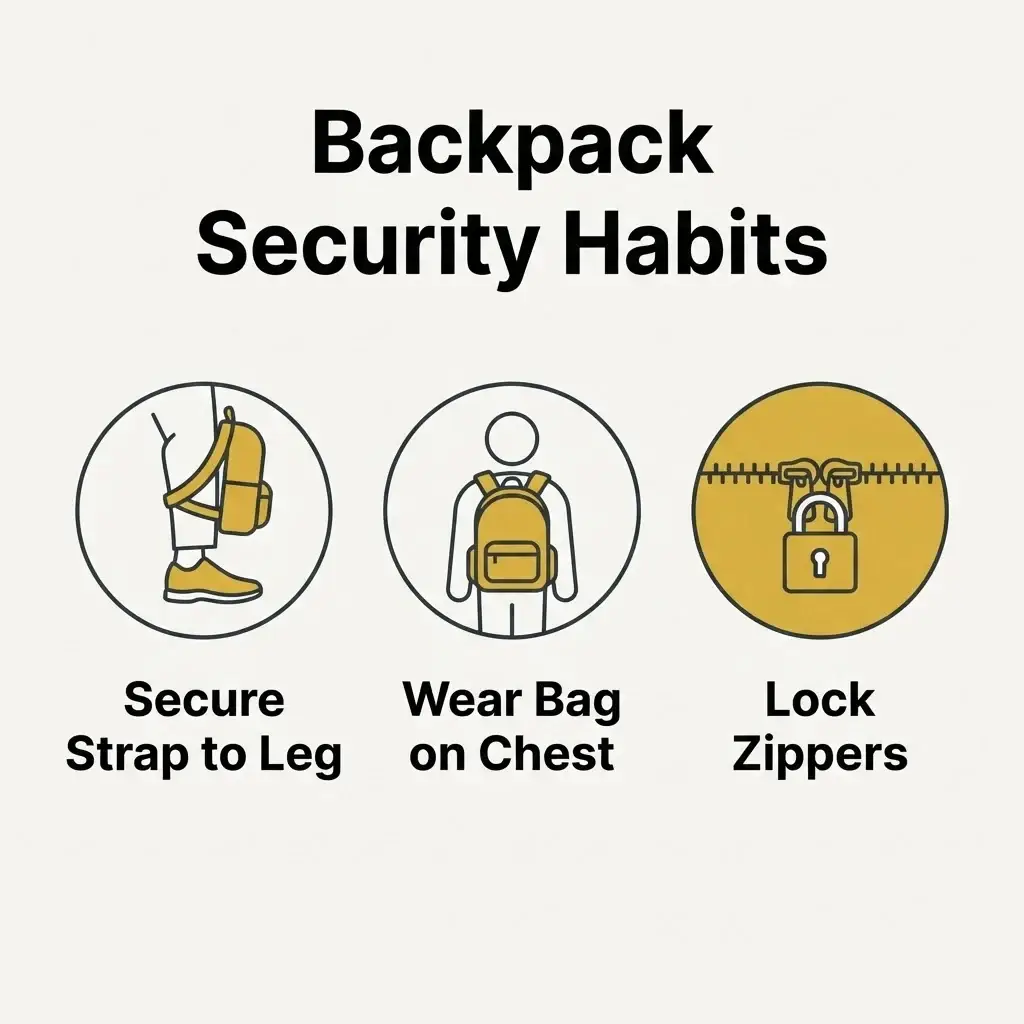
Beyond insurance, think about physical security. When I am in a busy city like Bangkok or Rome, I never leave my bag on the floor. I wrap the strap around my leg, or I keep it in front of me.

I use a TSA-approved lock on my backpack, even when I’m walking around, to prevent people from easily zipping it open in a crowd.
It sounds like a lot of work, but after a few days, it becomes a habit. And honestly? Knowing my gear is secure allows me to focus on the food, the people, and the culture—the things that actually matter.
Why We Travel: Keeping the Connection Alive
Traveling is not about the gear. I want to be clear about that. Whether you are using a top-of-the-line camera or an older smartphone, the goal is to experience the world. But for those of us who want to document our lives, share our stories, or simply stay in touch with our families back home, electronics are a necessity.
I remember standing in the diverse and vibrant markets described by Lonely Planet during my first solo trip. I was so nervous about my gear that I barely took any photos. I was constantly checking my bag, feeling the weight of the laptop, and wondering if I was doing it right. It took me years to realize that if I just followed a simple system—padded sleeves, cable organizers, regular backups, and good insurance—I could stop worrying.
When you take the time to pack safely, you are doing more than just protecting a piece of plastic and metal. You are giving yourself the freedom to be curious. You are telling yourself that you are ready for whatever the road throws your way. You aren’t just a tourist; you are a prepared, confident traveler.
So, pack your bags. Put your laptop in its sleeve. Coil your cords neatly. And when you arrive at your destination, do me a favor: leave the bag in your room, take your phone or camera, and go find something beautiful to see. The tech is there to support the adventure, not to be the center of it. You’ve got this.