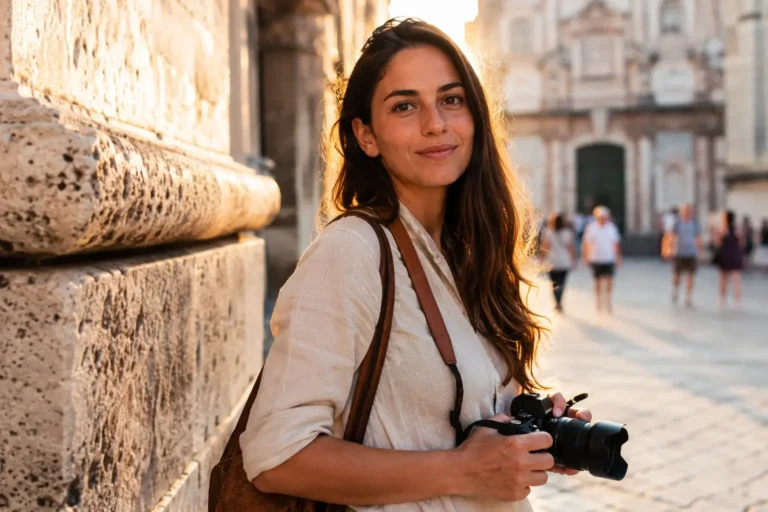

When I handed in my resignation letter at my gray New York corporate office job, my hands were shaking. I had spent years climbing a ladder that led to a view of a brick wall. I was tired of staring at fluorescent lights and saving my living for two weeks of paid vacation a year. I wanted to see the world on my own terms. I wanted to walk through night markets in Chiang Mai, hike along cold ridges in the Peruvian Andes, and listen to the morning rain in a small village in Ghana.
But I was also terrified.
My biggest fear wasn’t getting lost or running out of money. It was the fear of being completely disconnected and alone when things went wrong. I worried about my phone battery dying in the middle of a dark street. I worried about losing my maps while trying to find a hidden guesthouse. I worried about not being able to call for help if I got sick.
During my early days as a New York City sightseeing guide, I watched thousands of tourists navigate the chaotic streets of Manhattan. The ones who looked the most stressed were always the ones holding a dead phone or fumbling with a tangled mess of plastic cords. They were missing the beautiful architecture above them because they were fighting with their gear.
That experience taught me a massive lesson. The right gear isn’t about showing off expensive gadgets. It is about buying yourself freedom, safety, and confidence. Over the last decade of full-time solo travel, I have tested hundreds of devices. I have dropped them in mud, used them in extreme humidity, and relied on them to get me out of tight spots.
You do not need a suitcase full of electronics. You just need a few intentional, reliable tools. Let’s look at the best travel tech accessories that will keep you safe, confident, and completely connected without weighing down your backpack.
1. The Power Hub: Portable Chargers That Save the Day
If you are traveling by yourself, your smartphone is your lifeline. It is your map, your translator, your digital wallet, and your emergency beacon.

The moment that battery icon turns red and drops below ten percent in an unfamiliar city, a heavy wave of panic hits your chest. I know that feeling well. It happened to me during a rainy night in Tokyo when I took the wrong train line and ended up at a dark station with no signs in English. My phone died right as I tried to look up my hostel.
A heavy-duty, fast-charging portable power bank is the absolute most important accessory you can carry. Do not buy the cheap, plastic lip-gloss-sized chargers you see at supermarket checkout lanes. They do not hold enough energy to charge a modern phone even halfway, and they degrade quickly in warm weather.
Selecting the Right Battery Capacity
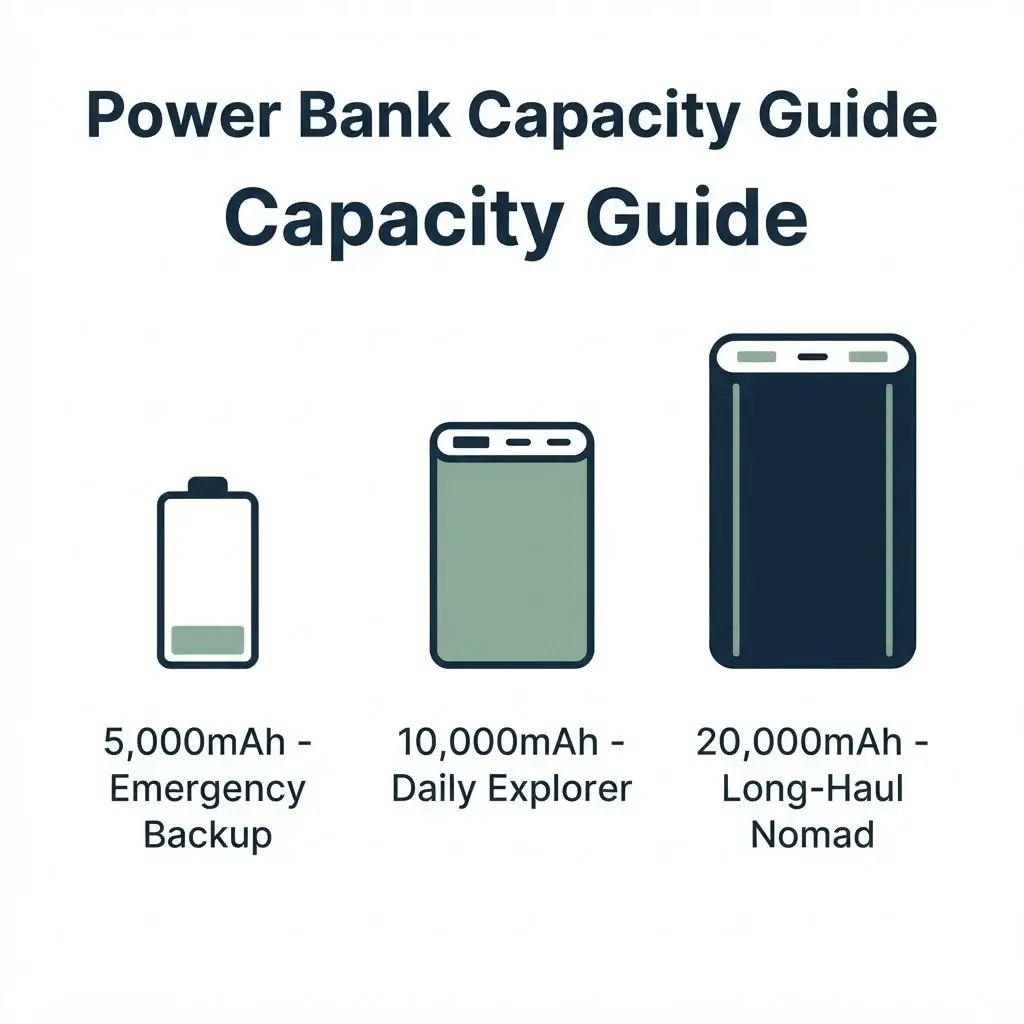
Look for a power bank with a capacity of at least 10,000 to 20,000 mAh (milliampere-hours). A 10,000 mAh battery is usually the sweet spot for daily exploration. It is thin enough to fit into your back pocket or a small canvas cross-body bag, and it can charge a standard smartphone about two times.
If you plan on taking long, overnight buses across South America or camping near remote villages, upgrade to a 20,000 mAh brick. This will give you four to five full charges. Keep in mind that aviation safety rules are very strict about batteries. You must always pack your power banks in your carry-on luggage, never in your checked bags. Most airlines allow batteries up to 100 watt-hours, which equals roughly 27,000 mAh.
Features That Matter on the Road
Make sure the power bank supports Power Delivery (PD). This technology charges your phone up to three times faster than a standard USB port. When you only have twenty minutes in a small café to charge your phone before catching a local bus, fast charging is an absolute lifesaver.
Look for a charger with multiple ports: at least one USB-C port and one traditional USB-A port. This allows you to charge your phone and your wireless headphones at the same time. Some modern power banks even come with built-in cables, which means you have one less cord to lose under your hostel bed.
2. Global Wall Adapters: Navigating Different Sockets Natively
One of the funniest mistakes I made on my very first solo backpacking trip through Europe was assuming all plugs were the same. I arrived in London past midnight, exhausted from a long flight, only to realize my American two-prong charger could not fit into the massive, three-pronged British wall outlets. I had to pay three times the normal price for a cheap adapter at a convenience store the next morning.
Every region has its own plug style. If you are moving quickly between countries, carrying individual adapters for every single stop is a logistical nightmare. You will lose them in the bottoms of bags, or leave them plugged into the wall behind hotel curtains.
The All-in-One Universal Travel Adapter
The solution is a universal slide-out travel adapter. These clever cubes feature built-in sliding pins that adapt to the four major global plug standards:
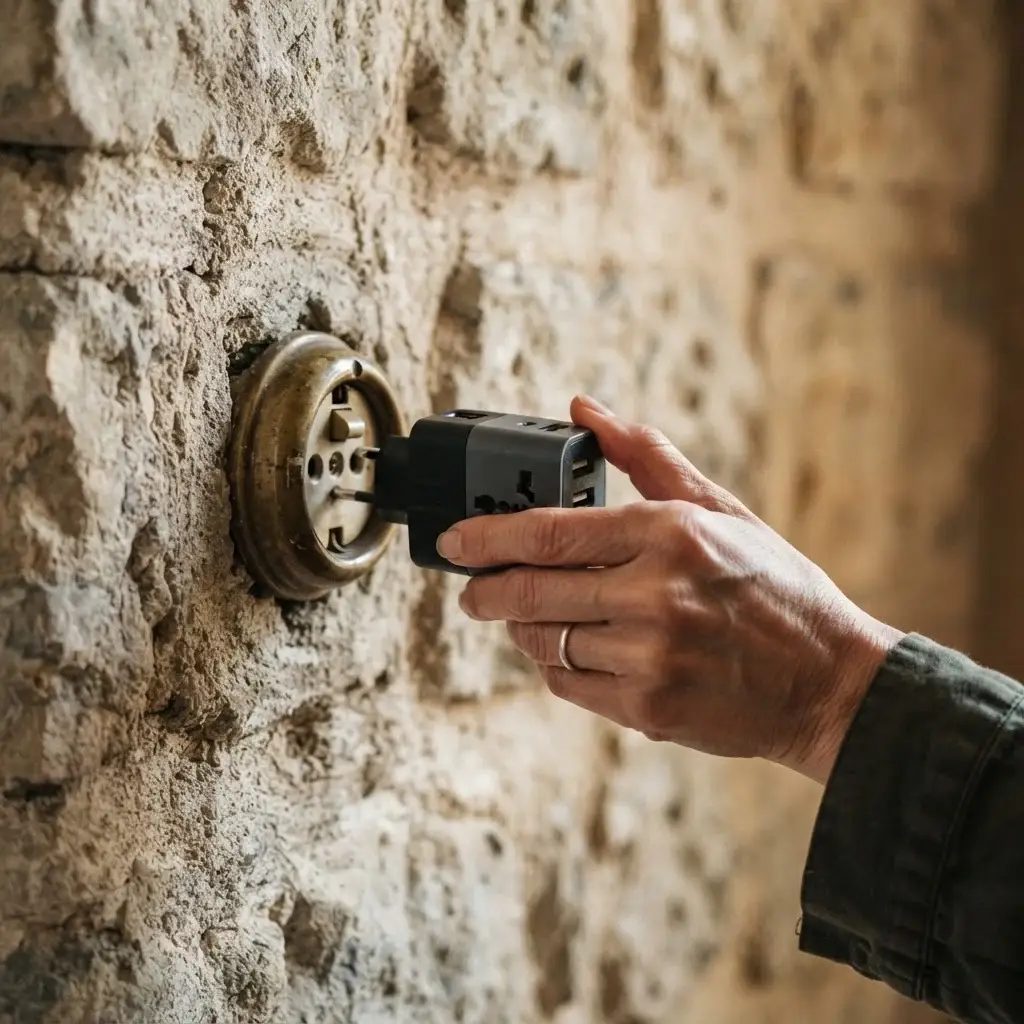
Type A (USA/Japan), Type C (Europe), Type G (UK), and Type I (Australia/China). With one single item, you can plug your electronics into wall sockets in over 150 countries.
[Universal Adapter Sliding Mechanism]
├── Slide Left → Type A/I (USA/Australia)
├── Slide Center→ Type C (Europe)
└── Slide Right → Type G (UK)
The best modern universal adapters do not just accept a single AC plug on the front. They also feature multiple built-in USB-C and USB-A ports directly on the side of the brick. This transforms your adapter into a complete charging station. You can plug in your laptop while simultaneously running charging lines to your phone, your camera battery, and your smart watch.
Understanding Voltage Safety
Before you plug your expensive devices into a foreign wall socket, you must understand voltage. The Americas generally use 110-120 volts, while Europe, Asia, and Africa use 220-240 volts.
Standard universal adapters are not voltage converters. They simply change the physical shape of the pins so your plug fits into the wall. If you plug a single-voltage hair dryer or heating pad designed for 110V into a 220V European socket, you will melt the appliance and likely blow a fuse in the building.
Thankfully, almost all modern personal electronics—like smartphones, laptops, iPads, and digital cameras—are dual-voltage. They are built to safely handle anything from 110V to 240V. You can confirm this by reading the tiny, raised print on your charger brick. Look for the line that says INPUT: 100-240V ~ 50/60Hz. If you see that, you can safely use your universal adapter anywhere in the world.
3. Audio Tools: Noise-Canceling Headphones and Wireless Earbuds
Solo travel involves a lot of noise. There are crying babies on eight-hour flights, loud metal wheels screeching on subway tracks, and the constant hum of traffic in bustling cities. Sometimes, the noise is inside your own head—the anxiety of arriving in a chaotic new place alone.
A high-quality pair of active noise-canceling (ANC) headphones is an incredible tool for your mental health. The moment you flip the switch and turn on noise cancellation, the roaring engine of an airplane drops into a quiet whisper. It creates a small, calm sanctuary where you can read, rest, or sleep.
Over-Ear Headphones vs. Wireless Earbuds
When selecting audio gear, you have to choose between large, over-ear headphones and tiny, pocket-sized wireless earbuds. Both have unique benefits for different styles of travel.
| Feature | Over-Ear ANC Headphones | Wireless Earbuds |
| Battery Life | 20 to 40 hours | 5 to 8 hours (plus charging case) |
| Noise Isolation | Excellent (blocks deep engine hums) | Moderate to Good (great fit needed) |
| Packability | Bulky, requires dedicated bag space | Fits easily into a coin pocket |
| Comfort | Great for long flights and cold climates | Lightweight for hot weather and running |
I carry both. I use my large over-ear headphones for long transit days, train rides, and flights because the battery life lasts for days and they do not make my ears sore after hours of use. However, when I am walking through a busy market or exploring a new neighborhood, I switch to a single wireless earbud.
Staying safe while listening solo
When you are exploring a new city alone, you must maintain situational awareness. Walking down a busy street with total noise cancellation turned on is dangerous. You cannot hear a bicycle approaching from behind, a car horn warning you away from traffic, or someone trying to speak to you.
Look for earbuds that include a high-quality “transparency” or “ambient noise” mode. This setting uses external microphones to pass outside sounds directly into your ears along with your music or podcast. It allows you to listen to your navigation directions while still hearing every footstep, vehicle, and voice around you.
4. Staying Connected: Portable Wi-Fi and Travel eSIMs
During my years as a New York guide, tourists regularly asked me where to find free public Wi-Fi. I always warned them to be careful. Open, unencrypted public Wi-Fi networks in airports, train stations, and popular cafés are playground zones for digital thieves who want to steal passwords and credit card data.
When you travel solo, having an immediate, private internet connection as soon as you step off a plane is a massive safety asset. You do not want to be standing in a busy airport arrivals hall trying to find a physical SIM card shop while managing heavy luggage and warding off pushy taxi drivers.
The Modern Way: Travel eSIMs
If you own a relatively modern smartphone, the easiest way to get internet abroad is through an eSIM (embedded SIM). An eSIM is a digital version of the traditional plastic SIM card.
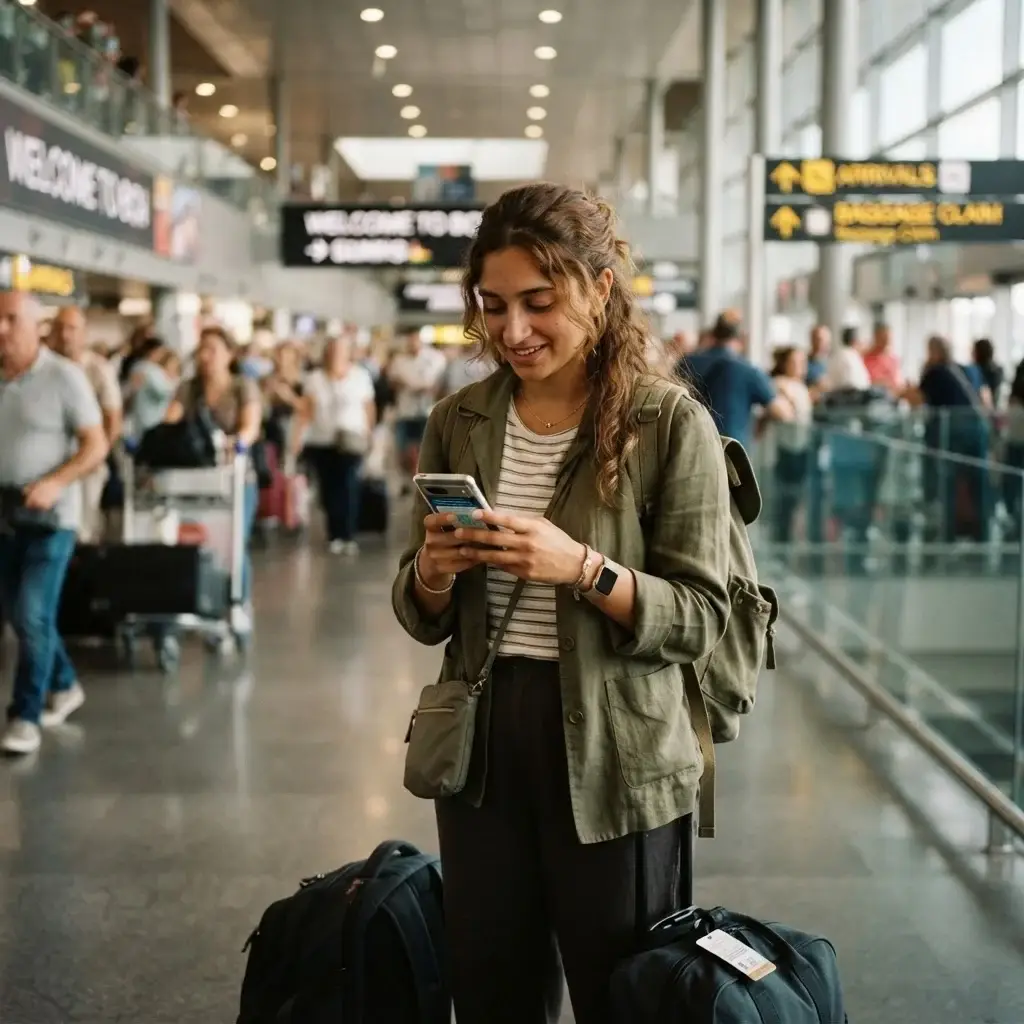
Instead of opening your phone’s card tray with a paperclip, you simply download a profile from an app before you leave home.
You can buy data packages for specific countries or entire regions (like Europe or Latin America). The moment your plane lands and touches the tarmac, your phone connects directly to the local cellular network. You can immediately call a ride-sharing vehicle, message your family to tell them you arrived safely, or check your hostel address on the map.
Before you purchase an eSIM pack, you must make sure your mobile phone is fully unlocked by your home carrier. If your phone is still on a monthly payment plan, your carrier might block foreign SIM networks. Call your provider and verify your device status before your departure date.
Portable Hotspots for Remote Workers
If you are working remotely as a digital nomad or traveling with multiple devices like a laptop and a tablet, a dedicated portable Wi-Fi hotspot is an excellent alternative. These small, pocket-sized routers use a local data SIM card to broadcast a private, secure Wi-Fi network that can connect up to ten different devices simultaneously.
[Local Cell Tower] ───> [Portable Wi-Fi Hotspot] ───> Laptop / Phone / Tablet
This ensures you always have a secure connection for work emails or banking transactions. To keep your personal information safe on any network, ensure your digital security is protected by reviewing the traveler safety guidelines from World Nomads Travel Insurance to avoid common cybersecurity mistakes on the road.
5. Security Tech: Smart Trackers and Secure Storage
Solo travel requires you to be your own security guard. When you are traveling with an entire group, someone can always watch the bags while you go buy a train ticket or use the restroom. When you are alone, your eyes must be on your gear at all times.
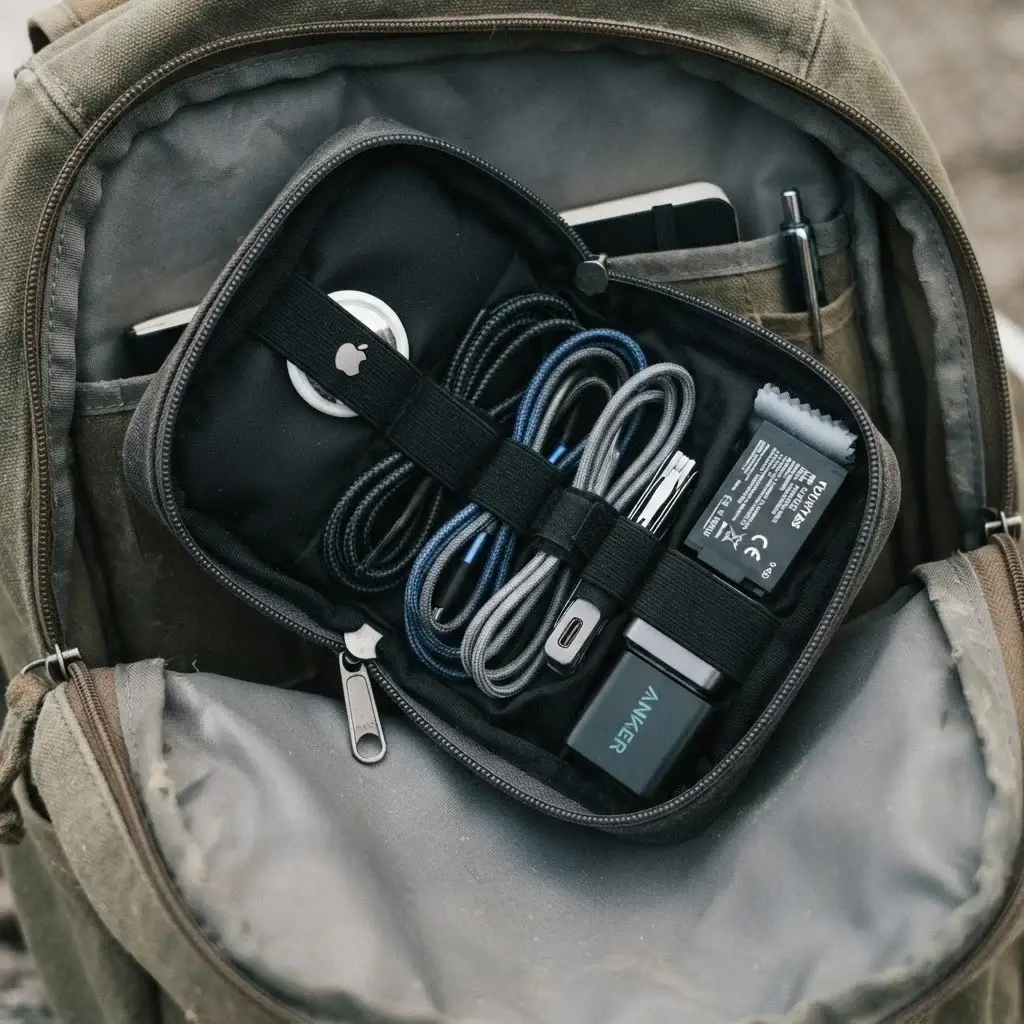
Smart bluetooth tracking tags have completely revolutionized how independent travelers secure their belongings. These tiny, coin-sized discs use global crowdsourced Bluetooth networks to show you the exact location of your items on a smartphone map.
Strategic Uses for Bluetooth Trackers
Drop a tracking tag into the inner lining of your main backpack, slide one into your wallet, and tuck another into your camera bag.
- Checked Baggage Peace of Mind: If you have to check your main bag on a flight, you no longer have to guess if it made it onto the aircraft. While sitting in your seat, you can open your phone and see that your bag is safely sitting in the cargo hold directly beneath you.
- Hostel Security: If you leave your large pack locked in a hostel storage room while out for the day, a quick glance at your tracker app confirms your bag is still exactly where it belongs.
- Accidental Loss Prevention: If you accidentally leave your wallet on a café table while rushing to catch a train, your phone will buzz with a separation alert the moment you walk fifty feet away.
Digital Security: Encrypted Backup Drives
Your travel memories, photos, and personal documents are irreplaceable. If your phone or camera gets lost or stolen, losing those files can feel devastating. I always carry a rugged, shockproof external solid-state drive (SSD).
Unlike old-fashioned mechanical hard drives that use spinning disks, SSDs have no moving parts. They can survive being dropped onto concrete floors or bounced around in the bottom of a backpack on rough dirt roads.
Every single evening, I back up my photos and copy scans of my passport, visas, and health insurance documents onto my drive. For maximum security, enable password encryption on your drive so that even if the physical device is stolen, your personal data remains completely inaccessible to strangers.
6. Documenting Your Journey: Lightweight Camera Gear
Travel is one of the most powerful tools for personal growth, and documenting your experiences is a beautiful way to look back on that journey. You do not need massive, heavy cinema cameras or five different lenses to capture your story. When you are traveling alone, heavy camera gear makes you a prominent target for pickpockets and drains your physical energy.
The best camera is always the one you have with you. Modern smartphone cameras are incredibly powerful and can capture beautiful photos and video if you know how to support them.
Essential Stabilization Tools
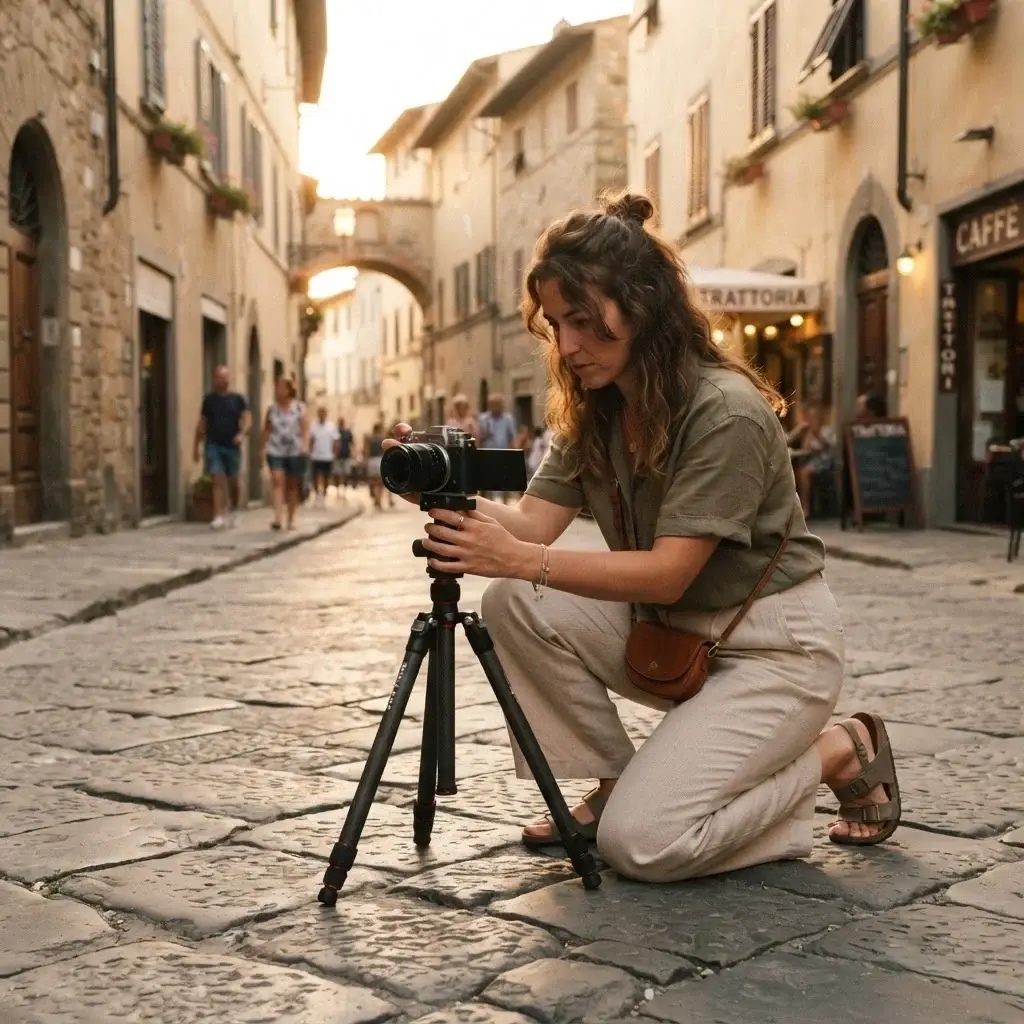
If you want to take clear photos of yourself without asking strangers or risking someone running off with your phone, a high-quality, lightweight travel tripod is essential. Look for a tripod that folds down small enough to fit inside a water bottle pocket.
Avoid cheap, flimsy aluminum tripods that shake every time a light breeze blows. Instead, invest in a compact tripod made of carbon fiber or heavy-duty composite plastic with flexible legs. Flexible-leg tripods are wonderful because you can wrap them securely around tree branches, metal railings, or park benches to get unique angles.
Flexible Tripod Base ──> Wraps around railings/branches ──> Stable shots anywhere
Action Cameras for Rugged Adventures
If your solo travels take you into rugged environments—like scuba diving in tropical reefs, surfing, or hiking through dusty trails—a dedicated action camera is worth the weight. These tiny cubes are waterproof without an extra case, virtually indestructible, and offer incredible electronic image stabilization.
You can clip them to your backpack strap while walking through a new city to capture natural, hands-free video clips, or drop them into deep water to record marine life without worrying about ruining your expensive smartphone.
7. Comfort and Maintenance: Cables, Cases, and Organization
When people think about travel tech accessories, they usually think about the gadgets themselves. But the small tools you use to organize and maintain your gear are just as important. There is nothing more frustrating than opening your backpack at night and finding an absolute mess of tangled wires, broken plugs, and missing memory cards.
Tech Organizers: The Cable Taco
An electronics organizer pouch is a total game-changer for your sanity. These small, zippered cases feature individual elastic loops, mesh pockets, and zippered compartments designed to hold every cord, block, and card in its proper place.
When you pack everything into a dedicated tech pouch, you establish a quick visual habit. Before you check out of a hostel dorm or packing up from a café table, you simply glance at your open pouch. If an elastic loop is empty, you immediately know you left a charging cable plugged into the wall or sitting on the counter.
Cable Durability on the Road
Standard plastic charging cables that come in the box with your phone do not last long under the stress of travel. They bend, fray, and break near the connectors from being constantly jammed into tight pockets.
Replace your factory cords with rugged, nylon-braided cables. They are much tougher, resist tangles naturally, and can handle thousands of sharp bends without breaking. Buy cables that are at least six feet long. Many older guesthouses and historic hotels place wall outlets in bizarre locations—far away from the bed or desk. A long cable ensures you can comfortably use your phone while it charges.
8. Practical Advice: Managing and Protecting Your Tech in Transit
Now that you know what gear to pack, let’s talk about how to actually manage and protect these investments while you are moving from place to place. When you travel solo, your packing system is your first line of defense against loss, theft, and environmental damage.
The “Daypack Only” Rule for Electronics
Never, under any circumstances, place your expensive tech accessories, cameras, or laptops into your checked luggage or the cargo hold of a long-distance bus. Checked bags are subjected to rough handling, extreme temperature changes, and potential theft.
Always keep your electronics inside your smaller daypack or carry-on bag, and keep that bag between your feet or securely on your lap during transit. When I travel on crowded local buses in Central America, I loop one of my backpack straps around my leg. That way, even if I fall asleep during a long ride, no one can slide the bag away from me without waking me up.
Dealing with Extreme Weather
Electronics are sensitive to moisture, dust, and temperature extremes. If you are traveling through tropical climates during the monsoon season, high humidity can trap moisture inside your camera lenses and phone ports.
High Humidity / Rain ──> Moisture traps in ports ──> Corrosion / Device failure
Always carry a few heavy-duty ziplock bags or a dedicated dry bag inside your pack. If you get caught in a sudden tropical downpour, you can quickly slide your tech pouch and phone into a waterproof seal.
Another useful insider tip: throw a few small silica gel packets—the little paper pouches that come inside new shoe boxes—directly into your electronics bag. These packets absorb ambient moisture and help keep your delicate circuits dry and rust-free.
9. Preparing Your Devices Before You Leave Home
The best tech accessories in the world won’t help you if your digital house isn’t in order before you step out the front door. Tech prep is a massive part of modern trip planning that many people overlook until they are already sitting in an airport terminal with slow public internet.
Offline Maps and Essential Downloads
Before you leave your home Wi-Fi network, open your navigation apps and download complete offline maps for your entire destination area. This allows you to use your phone’s built-in GPS to navigate, find street names, and look up local businesses even if you have zero cellular data or internet connection.
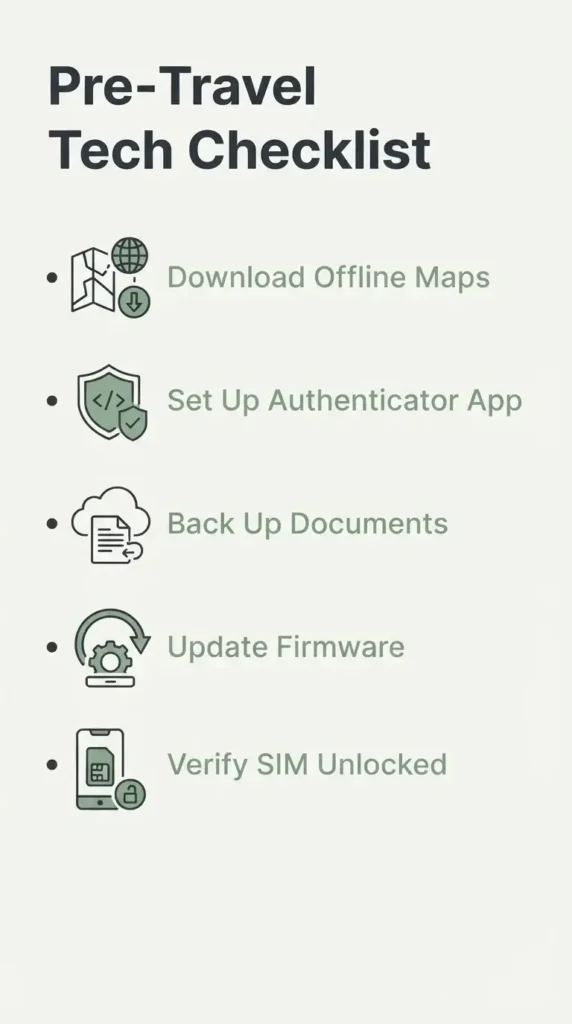
Download offline language translation files for the local language of the country you are visiting. Being able to point your camera at a grocery store label or a train schedule and read an instant translation in your native language builds incredible confidence during your first few days in a foreign country.
Digital Security and Two-Factor Authentication
If you log into your online banking or personal email accounts from a new country, security algorithms will often flag your account as compromised and lock you out. To regain access, the bank will try to send a text message verification code to your home phone number. If your home SIM card is turned off or has no roaming signal abroad, you will be completely locked out of your money.
To avoid this nightmare, switch your accounts over to an app-based authenticator tool before you travel. These apps generate secure verification codes directly on your phone screen without needing an active cellular network or SMS signal.
10. Navigating the Real World: Digital Tools for Daily Use
Once you arrive at your destination with your tech fully charged and protected, it is time to use that connection to explore deeply and safely. Staying connected shouldn’t mean staring at your screen all day; it should mean using digital tools to make your real-world experiences smoother.
Secure Navigation and Local Ridesharing
When you arrive in a brand new city alone, navigating taxi stands can be incredibly stressful. In many places, unregistered drivers target solo tourists with inflated prices or confusing routes.
Whenever possible, download and use the primary regional ridesharing app for your destination. If you are traveling through Southeast Asia, download the local transport services before arriving. For example, you can look up how transport options work by visiting the official Grab platform guide for international travelers to see how upfront pricing and tracked routes keep you safe.
Using an app means the price is locked in before you get into the car, your route is tracked via GPS, and you do not have to argue over fares or handle cash in an unfamiliar currency.
Health and Safety Resources
Before you start exploring local culinary scenes or hiking remote trails, take five minutes to bookmark local health resources.
If you are traveling through regions with tropical climates or unique environmental challenges, check the CDC Travelers’ Health destination advisories and medical recommendations to learn about current health notices, required vaccinations, and local food and water safety guidelines. Having this data saved on your phone ensures you can make smart decisions about where to eat, what water to drink, and when to seek medical care.
11. Final Thoughts from the Road
Technology is a beautiful bridge. When used intentionally, the best travel tech accessories do not isolate us from the world—they give us the safety net we need to dive deeper into it. They provide the quiet confidence to take that train, explore that market, and say yes to meaningful cultural adventures, knowing that we are never truly stranded.
Pack light, choose tools that serve multiple purposes, and focus on reliability over flashiness. Once your gear is sorted and your safety systems are running smoothly in the background, remember to put the phone in your pocket, lift your eyes up, and take in the incredible world right in front of you.